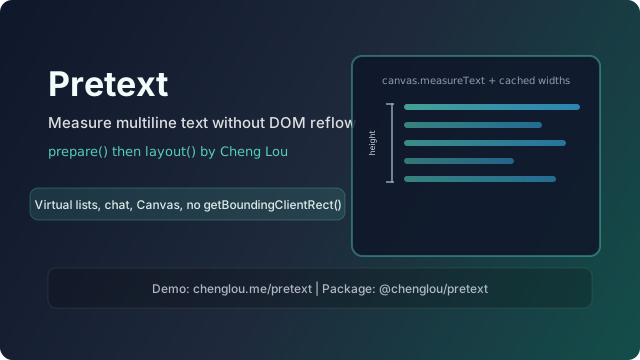
If you have ever built chat UIs, virtualized lists, masonry grids, or anything where text wraps as the viewport breathes, you have hit the same wall: the browser really wants you to measure text through the DOM—and the DOM really wants to charge you layout reflow for the privilege. Pretext, by Cheng Lou, is a small library that tries to move multiline measurement and breaking out of that loop. This post introduces who Cheng Lou is, what Pretext does, why dynamic text is so hard on the web, and where to see real demos.
Who is Cheng Lou?
Cheng Lou is a software engineer who spent roughly 2014–2021 on the React core team at Meta (then Facebook)—long enough to shape how a generation of developers thought about UI updates and performance. He is also known for react-motion (spring-based animation in React) and for deep involvement in the Reason / ReScript ecosystem—pushing typed, pragmatic tools on the JavaScript platform.
Public material around Pretext situates his current focus on interfaces that need fast, correct text geometry—including work at Midjourney, where squeezing layout without thrashing the main thread matters. His pattern, repeated across projects, is familiar to followers of his writing: notice a constraint everyone treats as inevitable, then build userland infrastructure that goes around it.
You can follow his work on GitHub and on X as @_chenglou.
Intro to Pretext
Pretext (@chenglou/pretext) is a pure JavaScript/TypeScript library for multiline text measurement and line breaking without relying on layout queries like getBoundingClientRect() or offsetHeight on real DOM nodes—operations that force the browser to synchronize layout before you get a number.
It uses the platform’s font engine as ground truth: segment text (including tricky Unicode cases), measure glyph runs via Canvas measureText, cache those widths, then treat wrapping as arithmetic on cached data. The project README credits Sebastian Markbåge’s earlier text-layout experiments as an architectural seed.
Mental model: two phases
From the official API surface:
prepare(text, font, options?)— One-time work: normalize whitespace (including optionalwhiteSpace: 'pre-wrap'for textarea-like behavior), segment, measure segments with Canvas, return an opaque prepared handle.layout(prepared, maxWidth, lineHeight)— Hot path: compute height and line count for a given width using pure math on the prepared data—no DOM layout.
For manual rendering (Canvas, SVG, WebGL, or custom engines), prepareWithSegments plus layoutWithLines, walkLineRanges, or layoutNextLine exposes line text and cursors—variable width per line when text flows around obstacles.
There is also an experimental @chenglou/pretext/inline-flow path for mixed inline runs (different fonts, “never break” chips, extra width for padding) without pretending to be a full CSS inline formatting context.
What Pretext is not
The README is explicit: Pretext does not try to be a complete font renderer. It targets a practical subset of CSS wrapping defaults (for example white-space: normal, word-break: normal, overflow-wrap: break-word, line-break: auto—with the pre-wrap option when you opt in). system-ui is called out as unsafe for accuracy on macOS; use a named font. Fonts must be loaded before prepare() runs.
What makes dynamic text rendering so hard?
1. DOM measurement is serialized and expensive
When you create a hidden element, set styles, insert it, and call getBoundingClientRect() or read offsetHeight, the browser may need to lay out large parts of the document to return a correct value. Do that for hundreds of chat bubbles on resize, and you pay latency and jank—exactly when AI-style UIs want fluid reflow at 60fps.
Pretext’s pitch is to decouple “how tall is this paragraph at width W?” from “mutate the layout tree.”
2. “Just use Canvas.measureText” undersells the problem
Raw measureText gives scalar widths, not a paragraph algorithm. You still owe the platform:
- Segmentation — Grapheme clusters, emoji sequences, CJK per-character breaking vs Latin words, Thai-style text without spaces, soft hyphens.
- Bidirectionality — Mixed RTL/LTR lines change where breaks are even allowed to go.
- Cross-browser quirks — The Pretext docs discuss Safari emoji calibration: Canvas vs DOM mismatch until you correct with a cached adjustment.
Building that stack yourself is months of edge cases. Pretext packages a battle-tested slice aimed at app developers, not font hobbyists.
3. Generative and interactive UIs multiply the problem
When text animates, wraps around moving shapes, or drives virtualization, you need stable height before paint to avoid CLS and scroll jump. Pretext is aimed at virtual lists, masonry, obstacle-aware layout, SSR height previews, and Canvas/WebGL text—places where CSS layout alone is the wrong tool or is too expensive to consult every frame.
Pretext demo: where to look
The maintained entry points are:
- Live demos: chenglou.me/pretext — interactive examples (accordion height, editorial layouts, dynamic obstacle routing, masonry, justification comparisons, rich inline, and more).
- Landing page: pretextjs.net — overview, install tabs, and links into the same demo ecosystem.
- Source & local demos: github.com/chenglou/pretext — clone, install, run the dev server, and open
/demosas documented in the README (note the README’s note about no trailing slash on the dev URL).
Additional community demos are linked from the project and site; they are worth skimming to see what becomes possible when line breaking is data, not DOM feedback.
Minimal code sketch
This mirrors the official README quick start:
import { prepare, layout } from '@chenglou/pretext'

const prepared = prepare('Hello, World 🌍', '16px Inter')
const { height, lineCount } = layout(prepared, 300, 22)
// height + lineCount without touching layout-critical DOM reads
On resize, reuse prepared and call layout again with the new width—do not rerun prepare for unchanged text; you would throw away the cache.
Closing thought
Dynamic text is the quiet bottleneck behind many “impossible” interfaces. Pretext does not magically solve every typographic problem, but it names the bottleneck—reflow-bound measurement—and offers a small, focused API to step around it. Whether you ship Canvas scenes, dense productivity UIs, or AI chat surfaces, that separation is worth understanding even if you never import the package.
Comments